Last updated
Oct 1, 2026
Last updated
Oct 1, 2026

Welcome to Contify’s October 2026 updates. This month, we’re excited to introduce the new Contify platform with a complete UI/UX upgrade. We’ve also upgraded our MCP server and added new ways to filter intelligence, prepare newsletters, create tailored Insights, and manage your monitoring scope more effectively.
These developments will help you:
- Navigate Contify’s M&CI Platform more easily and intuitively
- Bring verified market and competitive intelligence into your existing AI workflows
- Spend less time filtering intelligence, preparing newsletters, and configuring intelligence deliverables
The highlights in this edition include:
- Introducing the new Contify platform with a complete UI/UX upgrade
- Upgraded MCP server: Verified intelligence in your AI workflows
- Enhanced Query Builder: Build precise searches with guided filters
- New in Newsletters: Auto-populated updates through saved searches
- New in Insights: AI-assisted template creation
- New in Configure: Greater control over monitoring and relevance
- Additional usability enhancements
Introducing the new Contify platform: A fresh look and a more intuitive experience
We’ve completely revamped Contify’s UI/UX, bringing a fresh visual design and a more intuitive way to work with market and competitive intelligence. Refreshed layouts, simpler navigation, and personalized Feed views make the platform easier to explore and use every day.
A cleaner, more modern look
Contify has a new look and feel, with refreshed page layouts and redesigned Feed cards. Clearer separation between navigation, controls, and content makes information easier to scan and actions easier to find. Whether you’re reviewing market updates or managing your monitoring scope, the updated interface helps you focus on the task at hand.
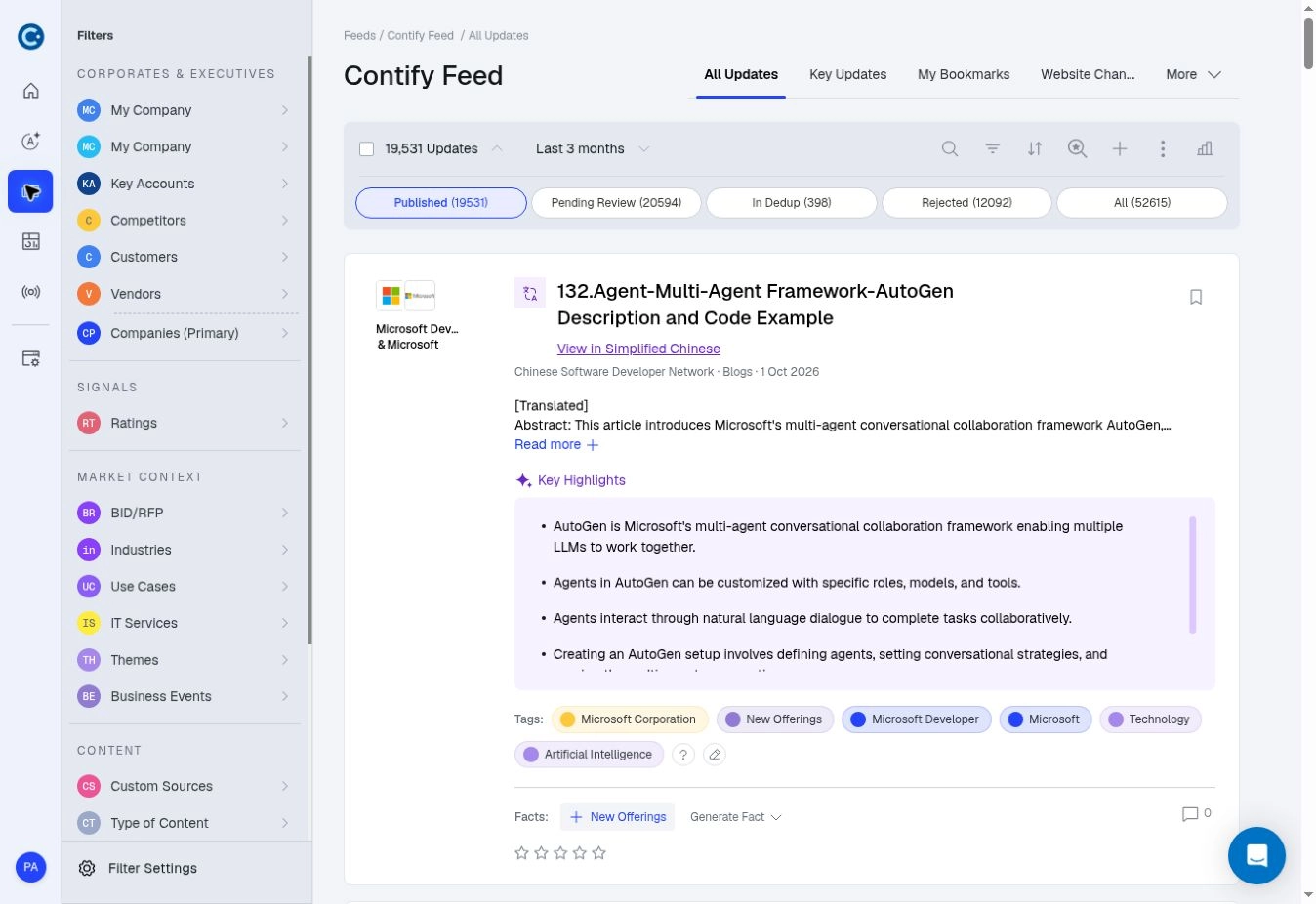
The redesigned Feed brings navigation, controls, and intelligence into a clearer layout.
Simpler navigation, organized around your work
The new left-hand navigation gives you access to Athena, Feeds, Dashboards, Broadcasts, and Configure, with related capabilities grouped together.
Feeds brings Curated Feed, Global Feed, Facts, and Insights into one destination for reviewing intelligence. Broadcasts groups Newsletters and alerts, while Configure brings monitoring and account setup together. This organization makes it easier to move between finding intelligence, sharing it, and adjusting what you track.
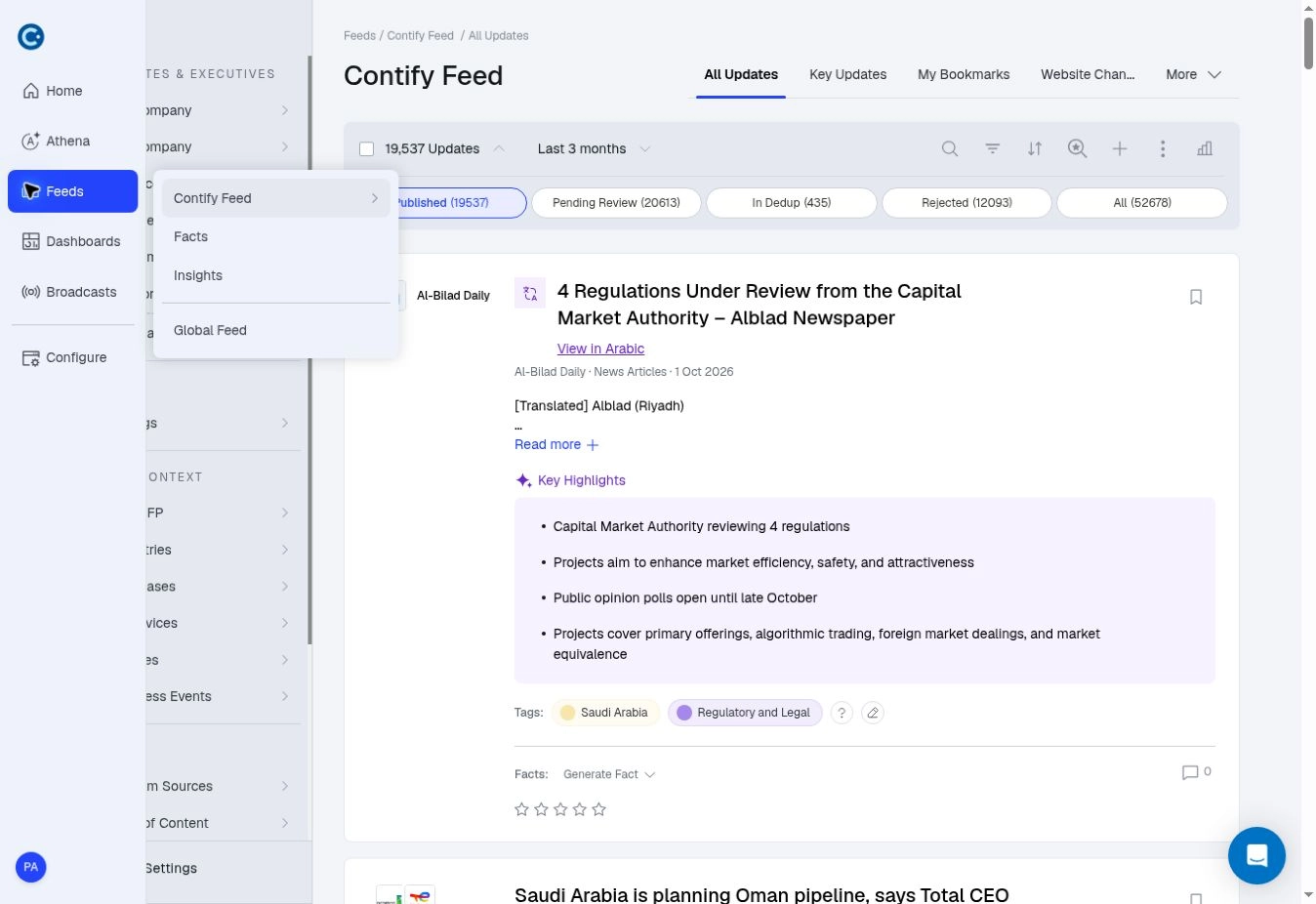
Related intelligence tools are grouped together in the expanded Feeds menu.
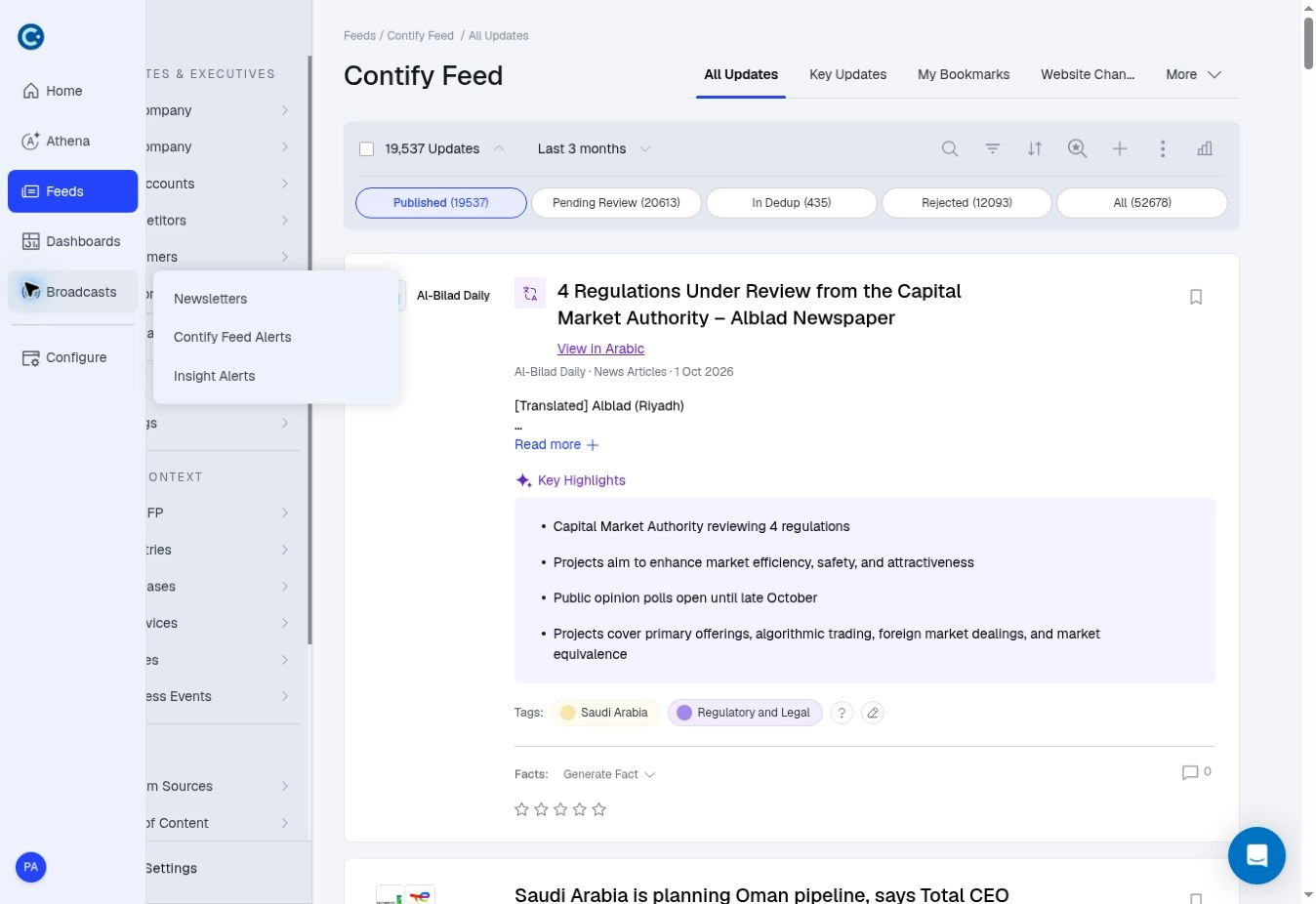
Access Newsletters, Contify Feed Alerts, and Insight Alerts from Broadcasts.
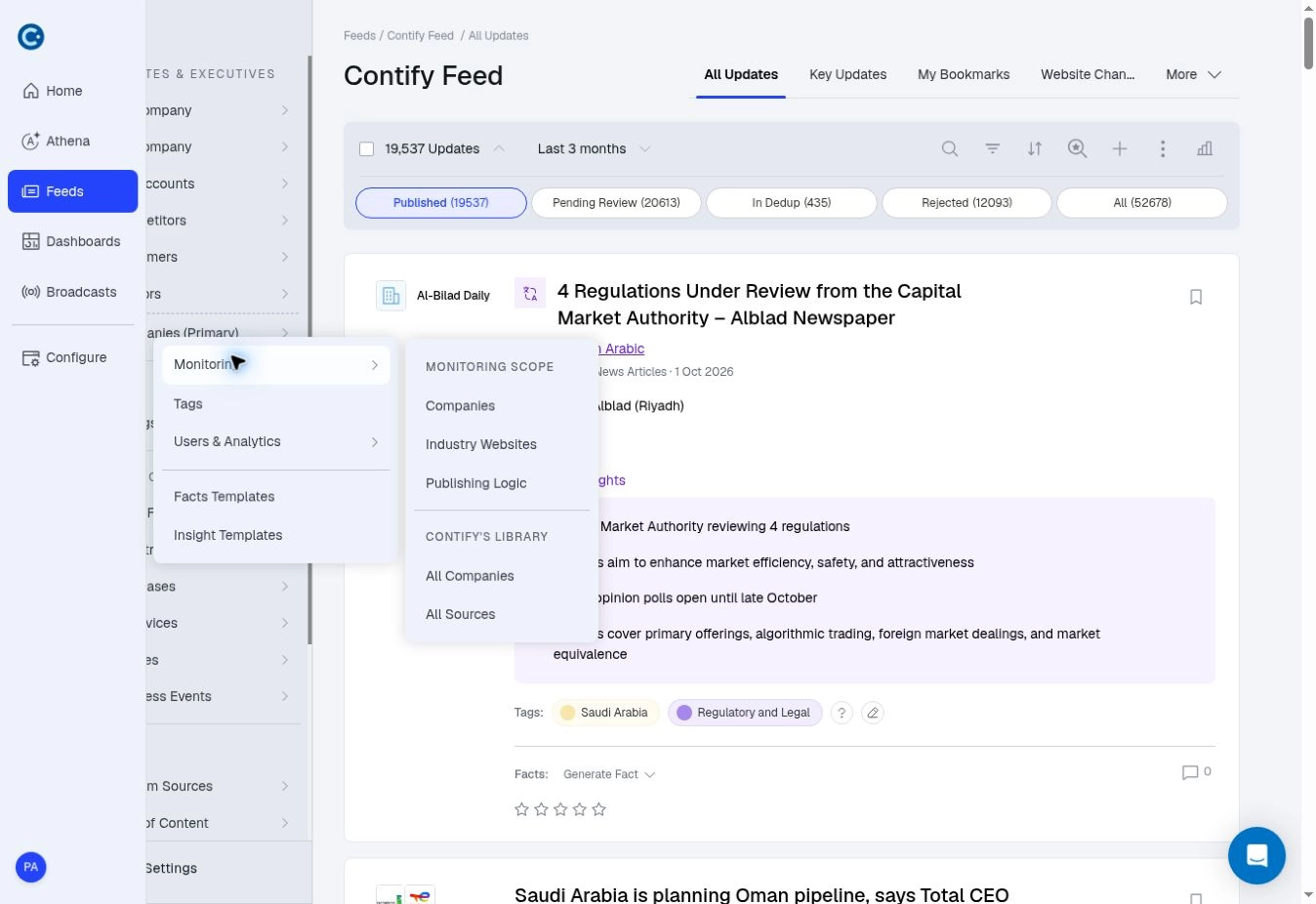
Manage monitoring, tags, users, and templates from Configure.
Feed views tailored to you
You now have more control over how intelligence appears in your Feed. Show or hide descriptions, key highlights, Facts, tags, and comments to match the detail you need. Choose a compact, titles-only view for a quick scan, or display more information when reviewing developments closely.
You can also pin frequently used views for quicker access and manage Feed settings from a single control panel. Your display preferences are personal, so each team member can review intelligence in the way that suits them.
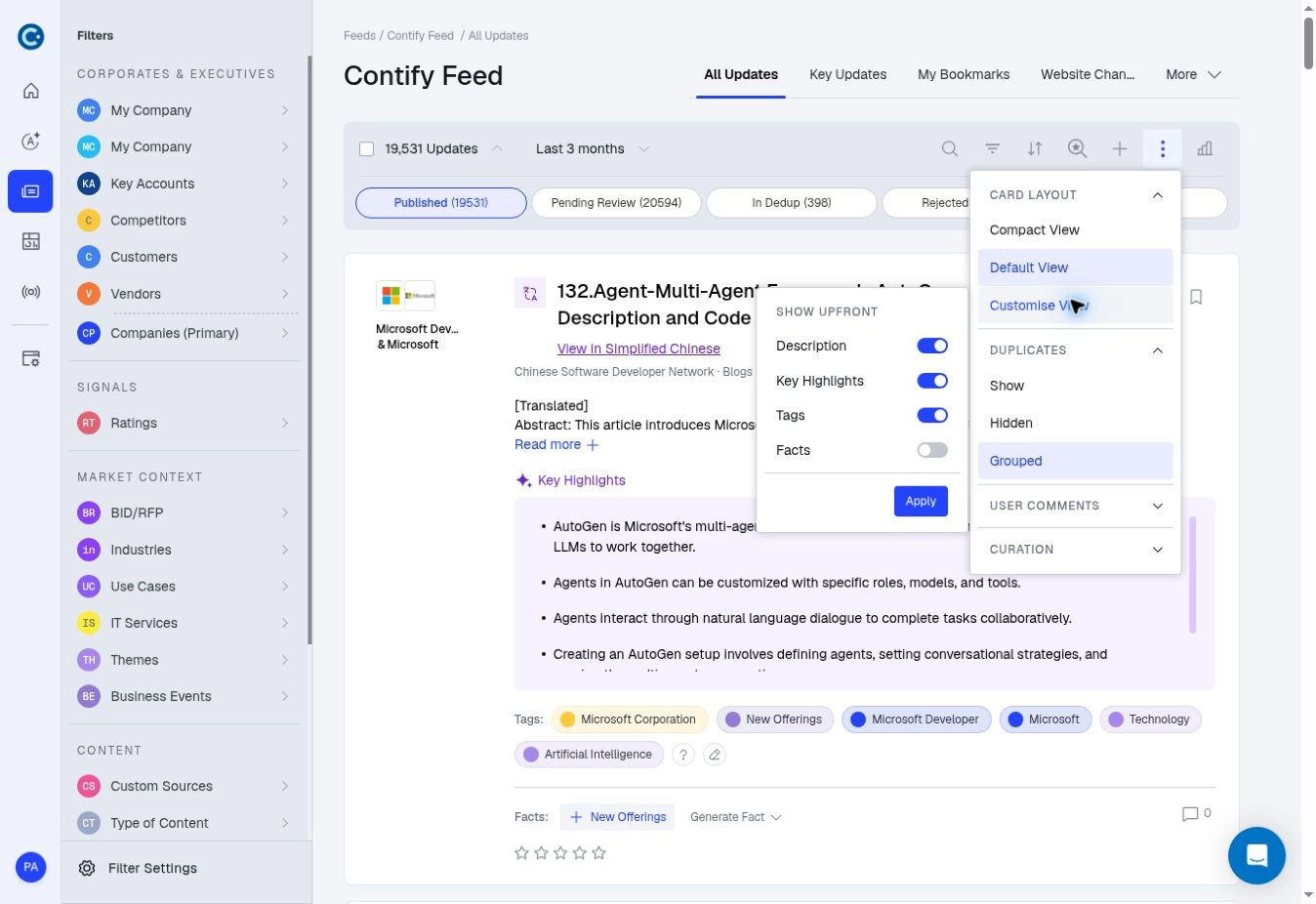
Personalize the detail shown in each Feed card from a single control panel.
Upgraded MCP server: Verified intelligence in your AI workflows
Contify’s upgraded MCP server brings analyzed insights and verified supporting updates into ChatGPT, Claude, Gemini, Microsoft Copilot, Perplexity, and custom enterprise AI applications.
Access Contify’s analysis directly or combine verified updates with internal data and other connected sources for broader research. The connected AI application generates responses with source citations, so you can review the evidence.
This helps intelligence teams extend their work across the organization, making verified intelligence available within the AI workflows stakeholders already use.
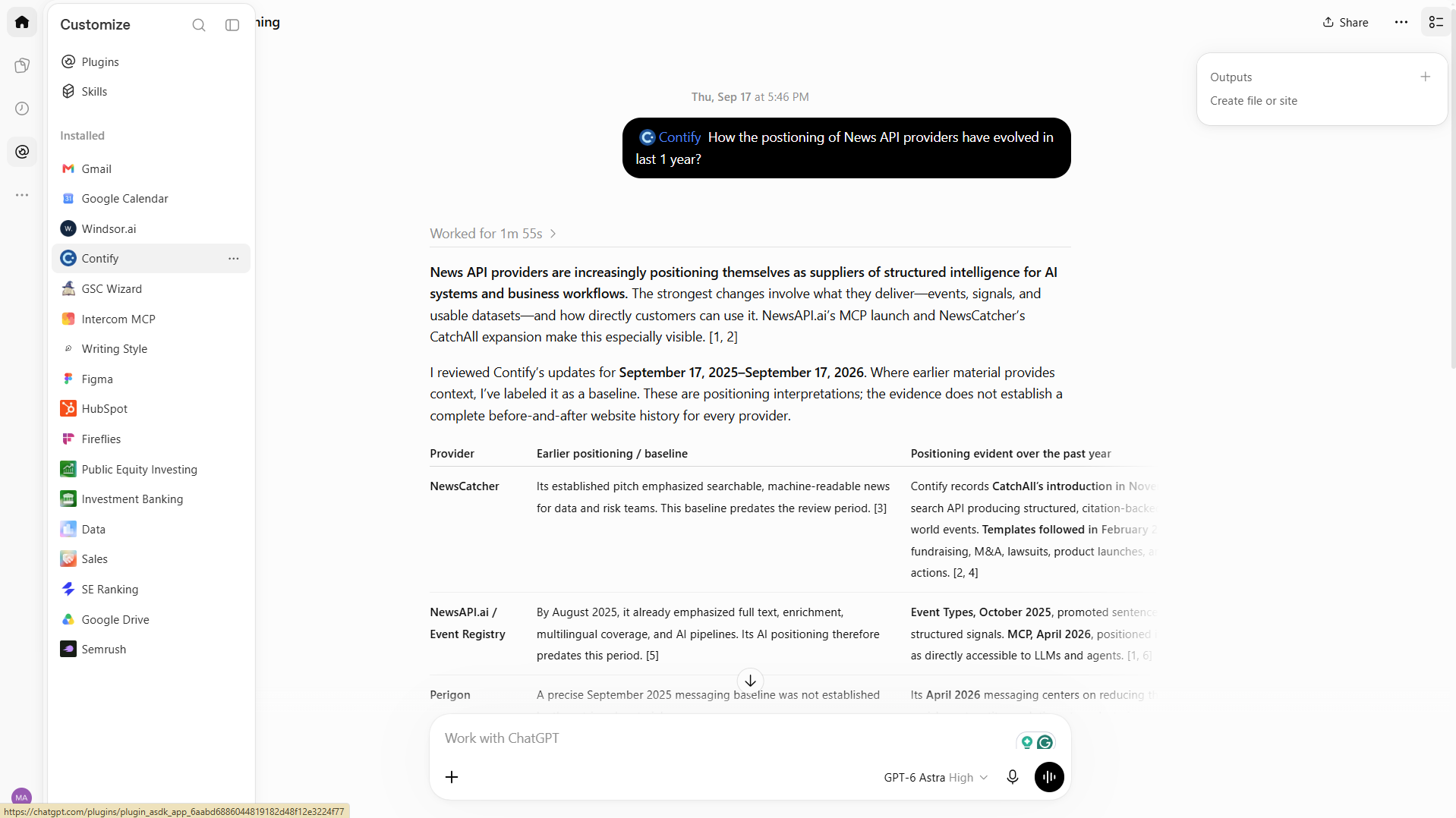
Bring verified Contify intelligence into connected AI workflows, with source citations.
Enhanced Query Builder: Build precise searches with guided filters
The enhanced Query Builder gives you a guided way to create advanced searches. Select the fields you want to search, including title, lead, body, and URL, then choose matching rules such as Contains, Exact Phrase, or Starts With.
Combine conditions with AND or OR and nest related filters to define more specific searches. You can also filter by properties such as word count, attachments, and dates. Raw Rules remain available for writing Boolean queries directly, and you can use the guided builder in Tags to refine which updates receive a tag.
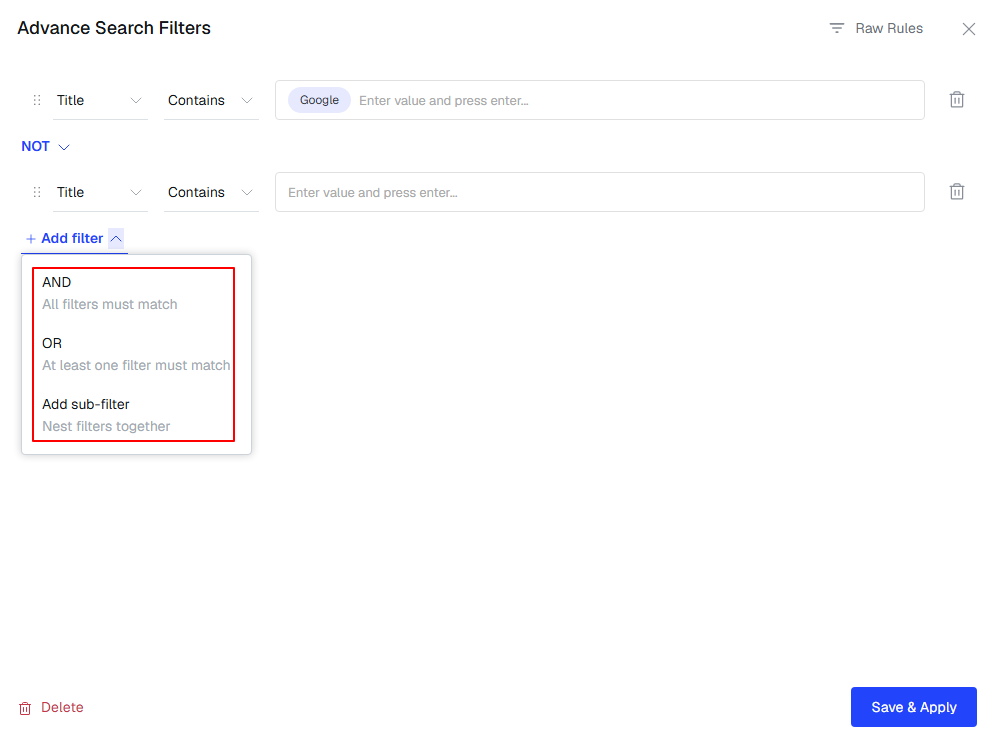
Build advanced search rules through guided fields and matching conditions.
New in Newsletters: Auto-populated updates through saved searches
Recurring newsletters often follow the same structure, but finding the right updates and preparing each edition still takes time. You can now connect Saved Searches to newsletter templates and automatically fetch relevant updates for each section.
Choose a date range, review the matching updates, and select the stories you want to include. Contify then populates the newsletter sections for you. You retain editorial control and can add other updates manually.
As new information arrives, Refresh Updates retrieves newly matched stories for a section. It excludes updates you have already reviewed or added and preserves content you added manually, so you can refresh a draft without rebuilding it.
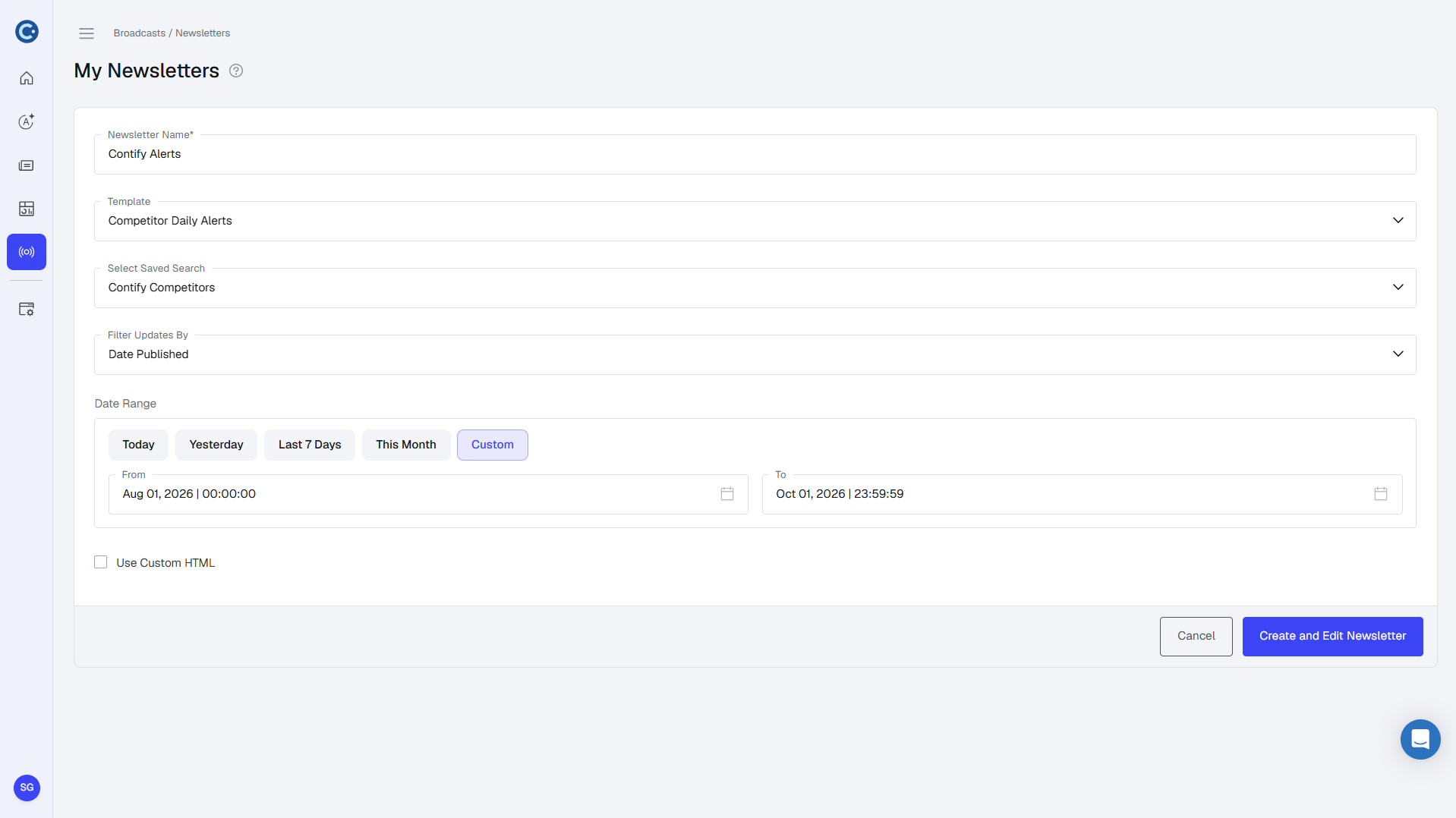
Review stories matched by your template’s Saved Searches and choose which updates to include
New in Insights: AI-assisted template creation
Custom Insight Templates define the analysis you want Contify to produce. You can now create these templates by describing your requirements in plain language.
Contify’s AI generates a template name, analysis requirements, and an Insight generation prompt. You can review and edit the fields or regenerate the template as you refine what you need. For example, you could describe an analysis of competitor product launches and their implications for your own offering, then refine the generated instructions to reflect your priorities.
AI assistance is also available when editing existing templates, making it easier to adjust recurring analysis as your requirements evolve. Manual template creation remains available when you want to write the instructions yourself.
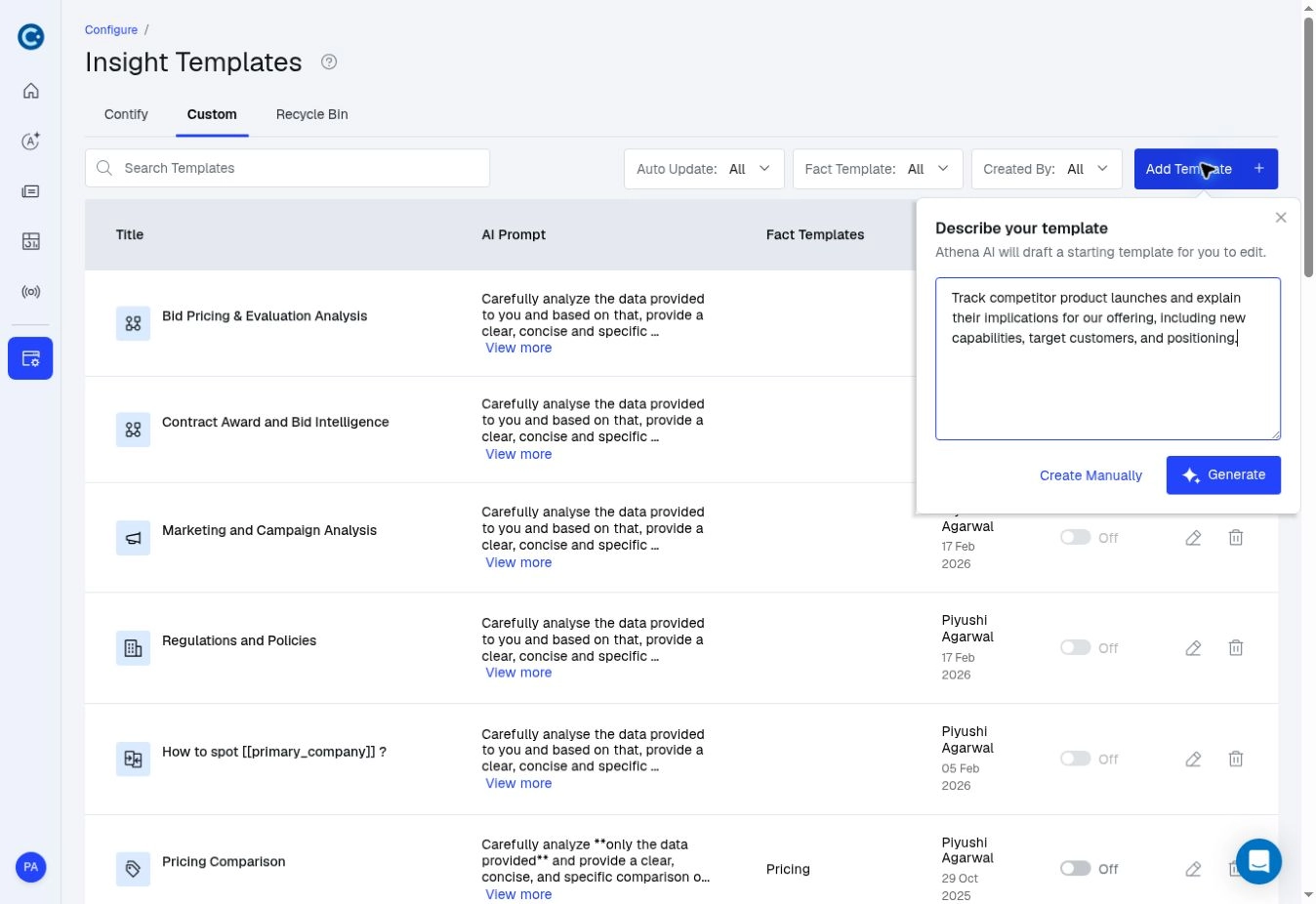
Describe the analysis you need to start an AI-assisted Insight Template.
New in Configure: Greater control over monitoring and relevance
As your monitoring scope grows, you need a clear view of the companies and sources being tracked, the coverage they generate, and the rules that determine what reaches your feed. New tools under Configure give you greater visibility and control over these decisions.
Manage your monitoring scope
A consolidated Companies listing shows tracked companies across monitoring groups, along with their sourcing methods and publishing logic. You can review and manage this coverage from Monitoring Scope.
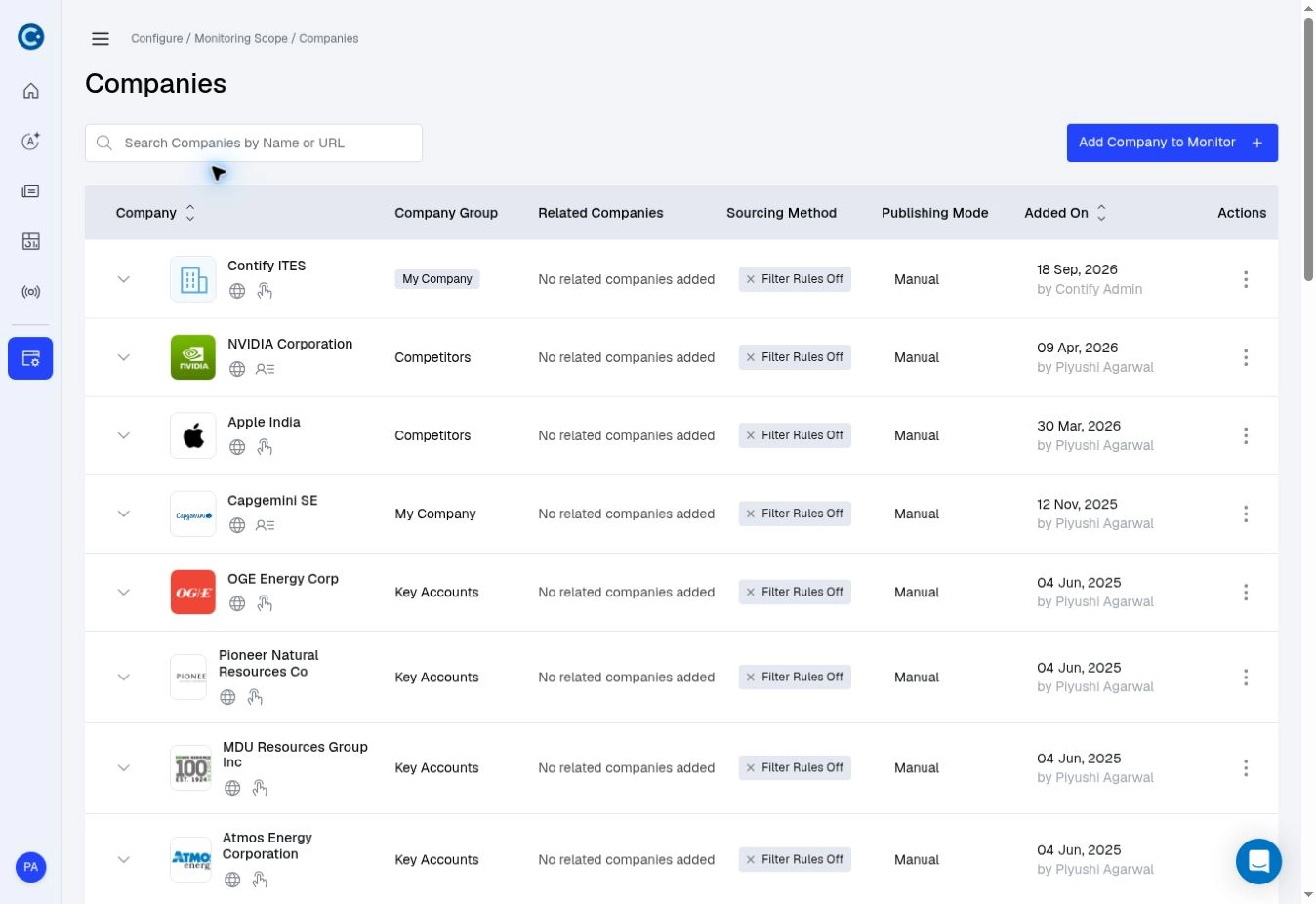
Review tracked companies, monitoring groups, sourcing methods, and publishing modes in one listing.
Expand a company to review its monitored URLs and update trends over the last 7, 30, and 90 days. You can open the updates behind those counts to investigate a change in activity or identify where sourcing needs attention. A dedicated webpage change tracking tab also makes it easier to manage monitored pages alongside your companies.
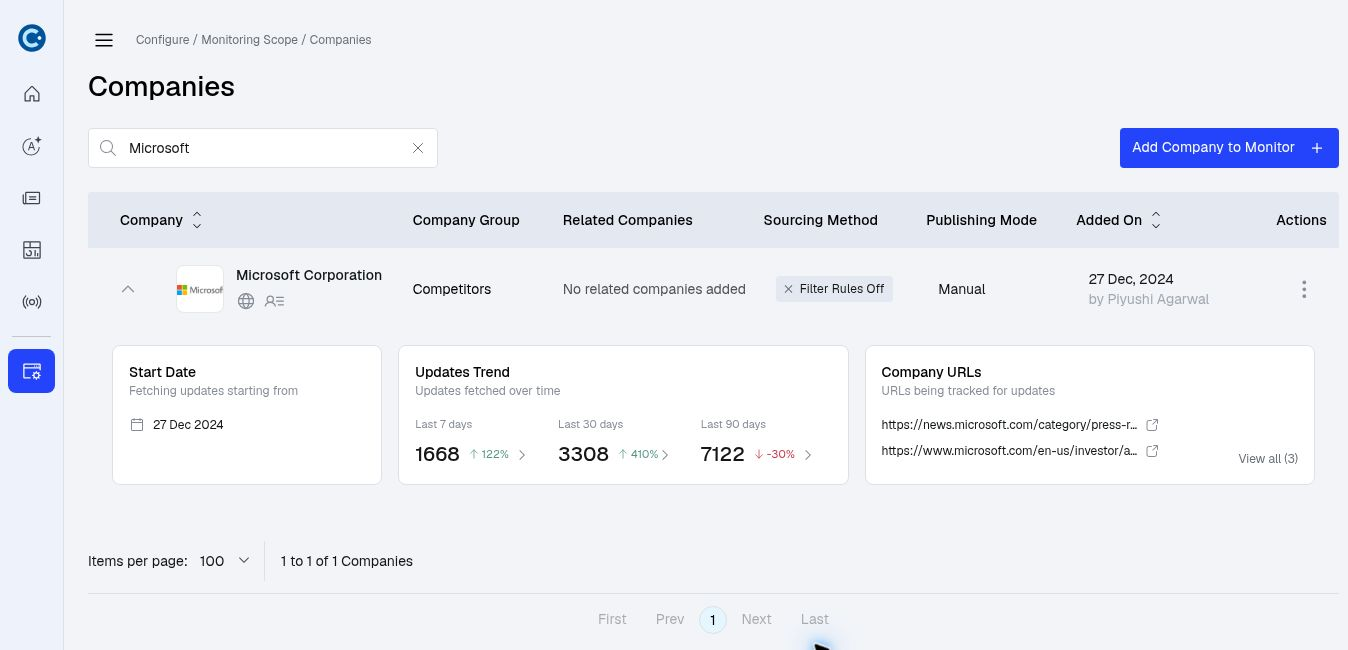
Expand a company to review its update trends and monitored URLs.
Explore Contify’s company and source library
Contify’s Library gives you a central place to explore available companies and active content sources. Search for a company, review its profile where available, and move into monitoring setup. You can also find sources by name or URL, sort them by type or language, and view source coverage by type and location.
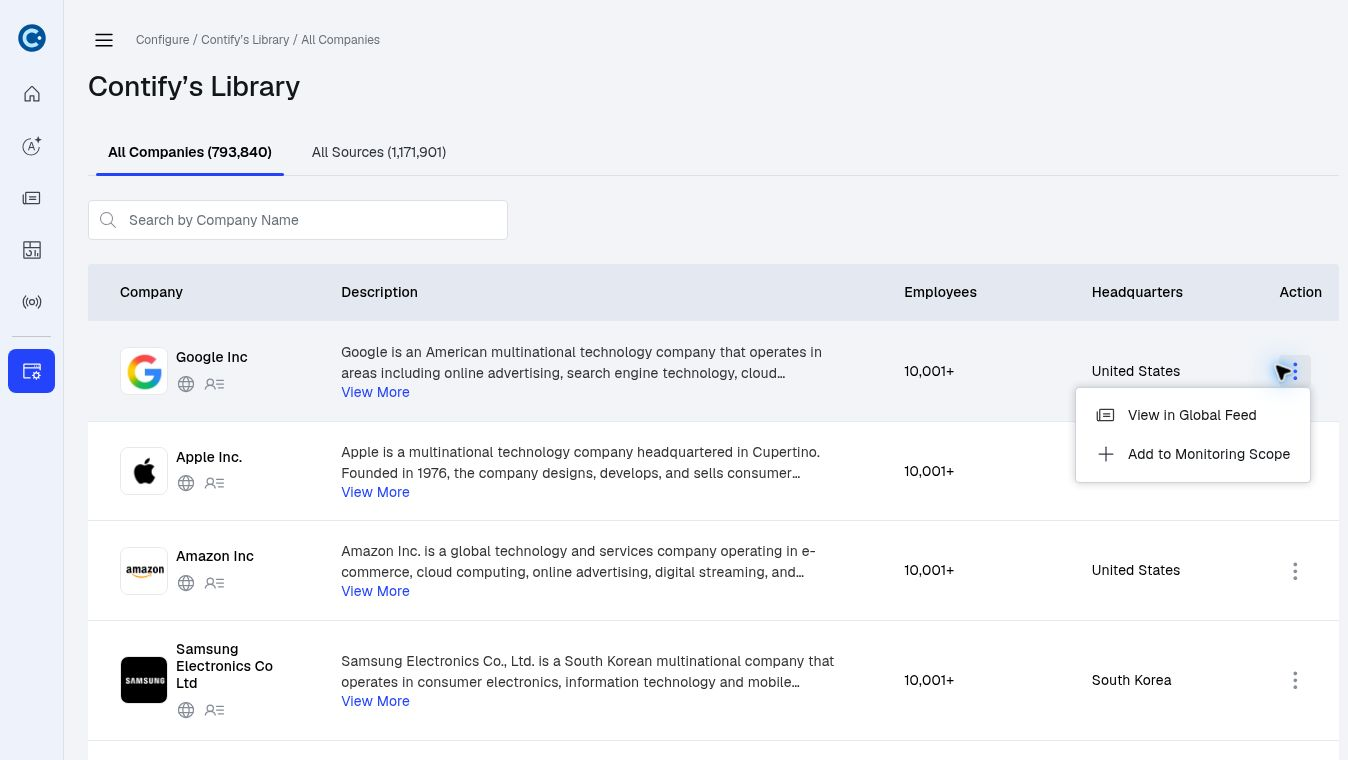
Explore company profiles and add relevant companies to your monitoring scope.
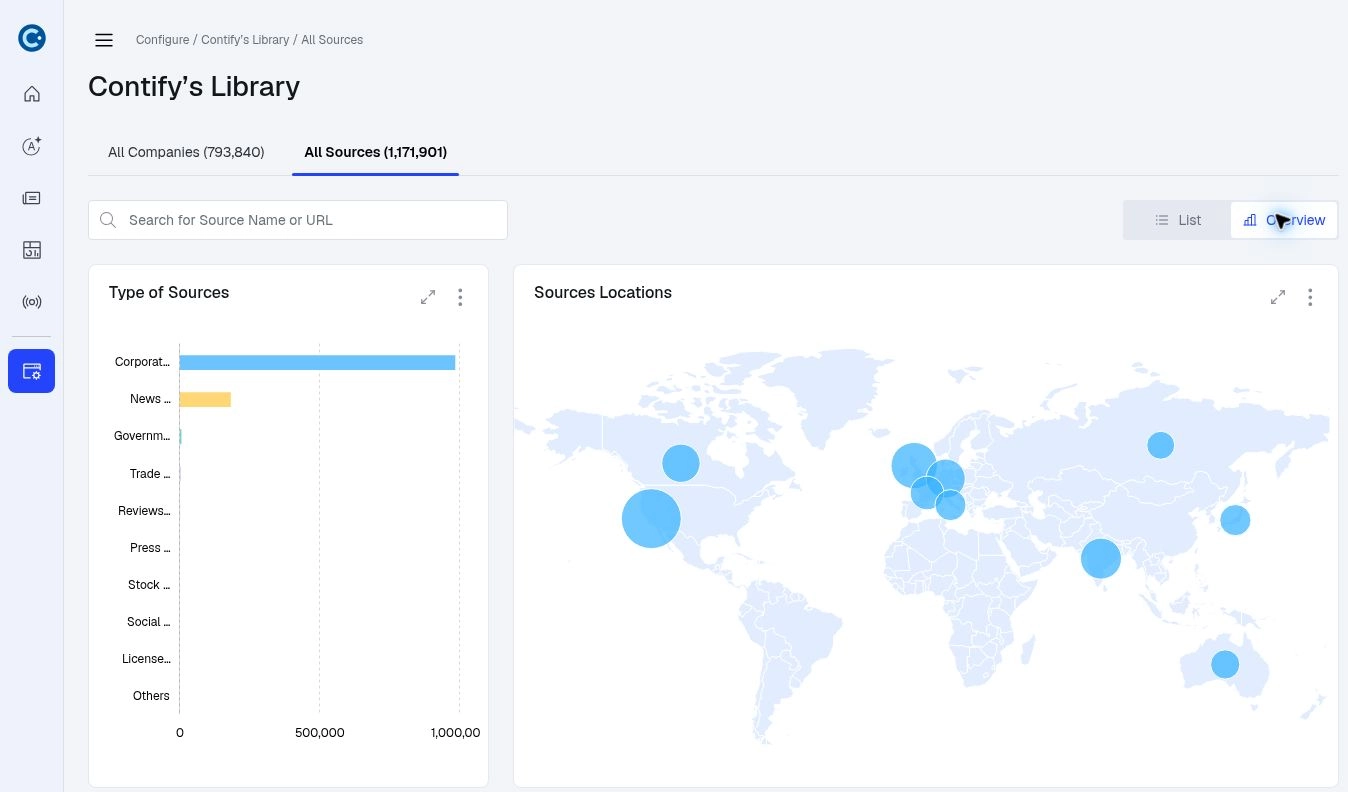
Explore source coverage by type and location in the Library’s Overview.
Control what gets published
Publishing Rules now lets you choose how updates collected from tracked URLs are handled: publish them automatically, reject them automatically, or have Athena assess their relevance. This reduces repeated review of updates you can handle through your configured criteria.
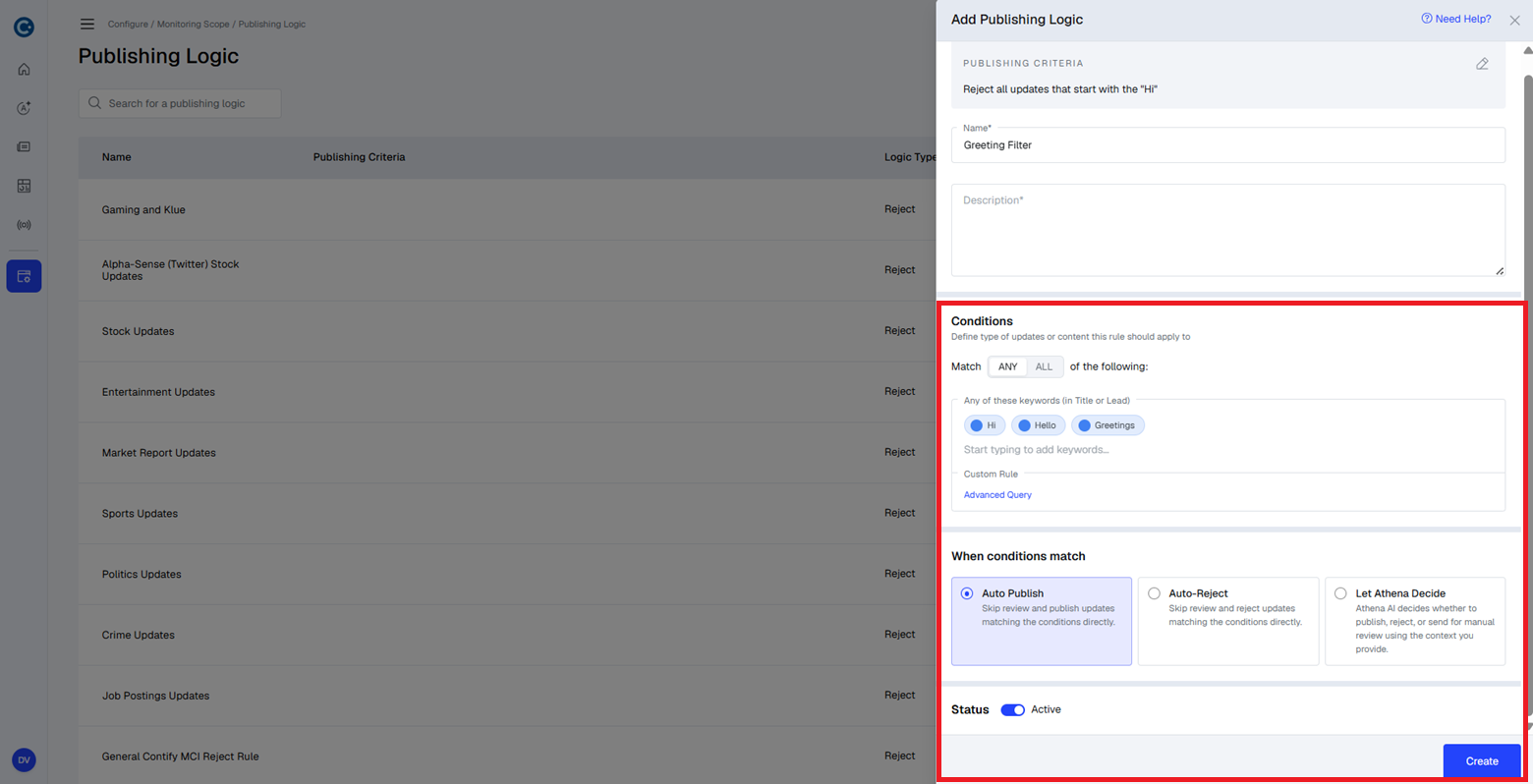
Choose whether matching updates are published, rejected, or assessed by Athena.
Additional usability enhancements
Other improvements make frequently used actions easier:
- Edit tags by category. Tags are grouped under their categories when you edit an update. You can add a tag within the relevant category and search category-specific suggestions.
- Revisit recent searches. Curated Feed and Global Feed remember your ten most recent searches. Select one to run it again. Search history is personal and saves the search text; filters and date ranges are not retained.
- Find dashboards faster. Search dashboards by name, or filter the listing to those you own, those shared with you, or those managed by a specific owner.
That’s a wrap
With the new Contify platform, you can move more easily through your intelligence workflows and tailor how you review updates. The upgraded MCP server and new tools for Newsletters, Insights, Dashboards, and monitoring help you put that intelligence to work with less manual effort.
If you’re new to Contify, start a 7-day free trial to explore the platform. You can also use our M&CI savings calculator to estimate the time and cost your organization could save by automating intelligence workflows.
If you’re an existing customer, reach out to your account manager for help applying these updates to your workflows. We’d welcome your feedback.